Unblur video free: sharpen soft or out of focus clips
A free video blur remover that runs in your browser. AI sharpens soft and mildly out of focus clips. It can't undo motion blur, and this page shows the difference.
Sharpest result. Takes a few minutes for a 30 second clip.
Doubles width and height, so 360p becomes 720p.
or drop it on the frame. MP4, MOV or WebM up to 10 minutes.
Which blur this video clearer can remove, and which it can't
Like any video blur remover, it can only sharpen what the camera recorded. Every example comes from our own tests on free stock footage, scaled down and blurred on purpose, then sharpened with AI enhance.

Fixes2
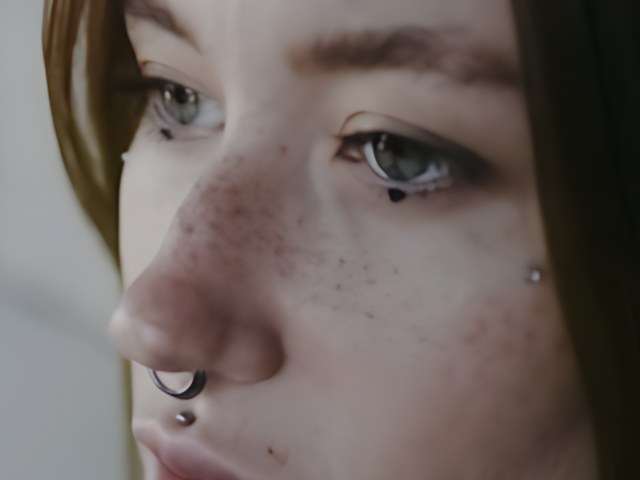
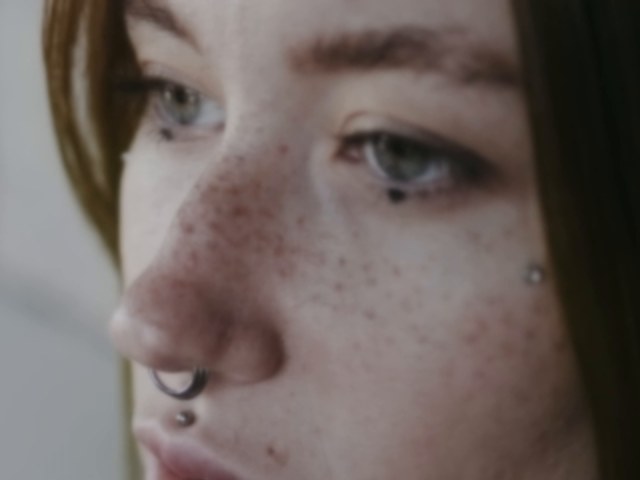
Soft or slightly out of focus footage: eyes, whiskers and outlines sharpen clearly, Blurry from low resolution: 360p and 480p clips that look smeared on a big screen
Slightly1
Blocky from heavy compression: blocks get smoother but look a little painted, and lost detail does not come back
Can't fix1
Motion blur: streaks from a moving camera or subject stay as they are
How to tell which blur you have
Pause your video on a blurry frame and look at the edges.
- Even softness everywhereEvery edge looks equally soft, in every direction. The clip is out of focus or low resolution. AI enhance helps here.
- Streaks in one directionEdges are smeared along one line, or a moving hand leaves a ghost. That is motion blur, and no upscaler removes it, including this one.
- Small square blocksBlocky patches in dark or busy areas come from heavy compression. Expect fewer visible blocks, not new detail.
Get the clearest result
- Start from the original Messaging apps often shrink and recompress videos. Use the file from your phone or camera if you still have it.
- Pick AI enhance Fast mode only sharpens lightly. AI enhance is the setting that clears soft footage.
- Trim to what you need The free tool takes up to 10 minutes per clip, and shorter clips finish sooner.
Need Full HD as well?
Unblur video questions
Can I unblur a video for free?
Yes. Drop the clip and run AI enhance. There is no signup, no watermark and no daily limit for clips up to 10 minutes.
Can it fix motion blur?
No. Streaks from a moving camera or subject stay in the result. This page shows a tested example so you can check before you spend time on it.
Can it make a blurry face clear?
It sharpens faces that are a little soft, so eyes, lashes and outlines come back clearly. Fine skin detail such as freckles can come out smoother than the original. It can't rebuild a face that is only a few blurry pixels, and it has no special face model.
What is the difference between unblur and upscale?
Here they are one step. Most blur in low quality clips comes from low resolution, so the same AI model upscales and sharpens at the same time.
Does it work on phone videos?
Most phone clips work. If your browser can't read a file, such as some iPhone HEVC videos, the tool tells you and you can convert it to MP4 (H.264) first.
Is my video uploaded?
No. The video is read, sharpened and saved inside your browser tab. Nothing is sent to a server.