Make a blurry WhatsApp video clearer
WhatsApp shrinks videos before it sends them. Here is how to get the sharpest copy, and how to enlarge the one you have to 1080p for free.

Free · never uploaded · any length
Will this fix your WhatsApp video?
- Best for
- Videos that arrived at 480p, which is what standard quality sends on a slower connection. AI enhance makes them 1080p with crisper edges, text and patterns.
- On a phone
- Fast mode makes 1080p free on the phone, with a lighter sharpen than the AI shown above. For AI enhance, use the cloud, or send yourself the link and run it free on a computer.
- On a computer
- AI enhance runs free in your browser with no upload, as in the sample above.
- Arrived at 720p?
- The sharpest copy is the original file: ask the sender to send it again as a document.
Why videos look blurry on WhatsApp
The sender's phone shrinks the video before it leaves, so everyone in the chat gets the smaller copy.
- Standard quality is 480p or 720p
- WhatsApp's help center says videos are sent at up to 720p on a faster connection and up to 480p on a slower one, at a much lower bitrate than the original, however sharp it was.
- HD stays at 720p
- Choosing HD quality before sending gives a sharper copy, but reports put HD video at 720p too, still smaller than the 1080p or 4K most phones record.
- Status updates and forwards
- Status videos are compressed too, and each forward can shrink a clip again.
- Sent as a document
- A video sent as a document arrives as the original file, untouched, up to 2 GB.
How to get a clearer WhatsApp video
- Ask for the original Ask the sender to share it again as a document (tap the attachment icon, then Document, and pick the video). That gives you the full quality file.
- Next time, send in HD Choose HD quality before you send, or make it the default in WhatsApp under Settings, Storage and data, Media upload quality.
- Only have the 480p copy? Drop it in the tool above and pick 1080p. AI enhance enlarges it and redraws edges, text and patterns; it runs in your browser and nothing is uploaded.
- Save it back Download the 1080p MP4 with the original sound and no watermark.
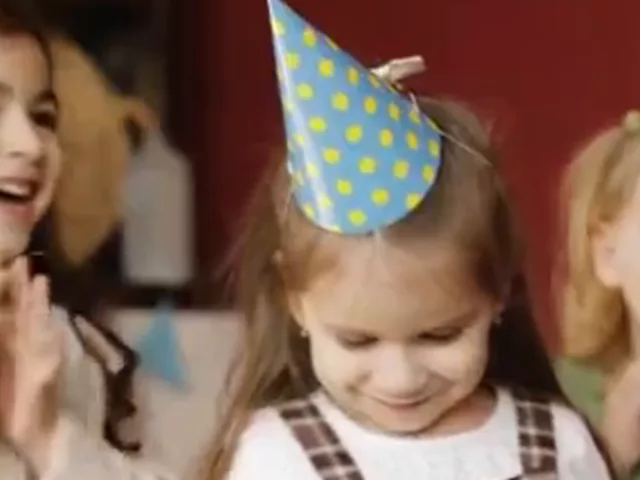
We tested this on 15 Nov 2026: four 1080p clips compressed the way a WhatsApp video arrives on a slower connection (480p, about 1 Mbps), then enlarged back to 1080p. AI enhance made edges, signs and patterns crisper than a normal resize, like the party hat dots in the sample above. The original file is still the sharpest copy you can get, so ask for it when you can.
Sizes at a glance
- 480p or 720pWhatsApp standard quality, by connection
- 720pWhatsApp HD, as reported
- Originalsent as a document
- 1080pfree AI enlargement in your browser
Other blurry video fixes
- Why videos get blurry on chat apps and social media, and how to keep them sharpEvery chat app and social network, and how to keep video sharp on each.
- Why your phone video looks blurry even in 1080p, and what helpsThe original is 1080p and still looks blurry.
- Fix blurry Instagram Reels and storiesVideos that look blurry after posting on Instagram.
- Enhance video quality on your Android phone, without an appEnhance videos on an Android phone.
Questions about blurry WhatsApp videos
Why are WhatsApp videos so blurry?
WhatsApp shrinks videos before sending them, to 720p or less, and lowers the bitrate. The sender's original stays sharp on their phone.
How do I send a video on WhatsApp without losing quality?
Send it as a document. Tap the attachment icon, choose Document and pick the video, and it arrives as the original file.
Can I make a WhatsApp video clearer after I received it?
Yes, you can make it bigger and crisper. Drop it in the free tool above and pick 1080p. AI enhance redraws edges, text and patterns, all in your browser.
Does it work on my phone?
Yes. Open this page in your phone's browser and pick the video from your gallery or Photos. On a phone the free tool makes up to 1080p with Fast mode.
Is my WhatsApp video uploaded anywhere?
No. The free tool reads, enlarges and saves the video inside your browser.