Restore old video from VHS tapes, camcorders and early phones
For VHS tapes, camcorder footage and early phone videos up to 576p. Faces, clothes and objects come back sharp at 1080p, in the cloud on fast GPUs.
2 credits per second of video, at least 20 per video. Credit packs from $5. The video uploads only when you start it in the cloud.
The upload is deleted as soon as the job ends, and the result stays downloadable for 7 to 30 days, depending on your pack. We never use your videos to train models. Refund policy
Watch old videos come back sharp
Each clip is a real old recording restored in our cloud. Drag the line to compare.
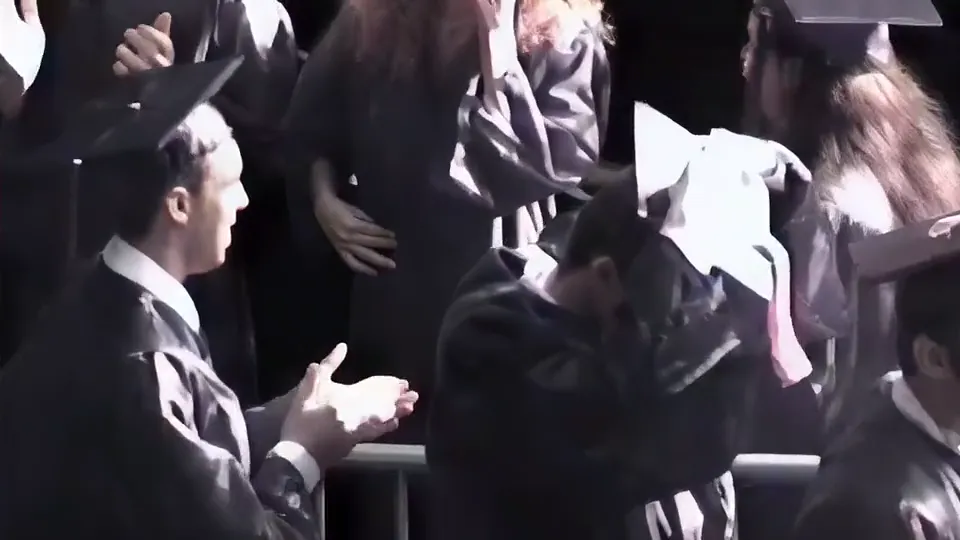
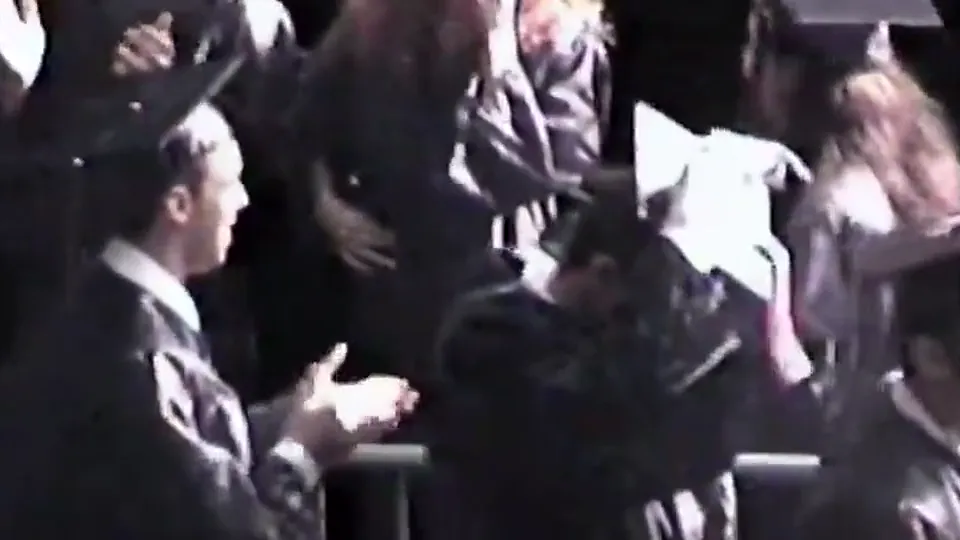
A graduation filmed on a family camcorder. Faces, hair and hands come back sharp and still look like the same people.
Situations this tool can help with
Find your task below, or browse all image and video use cases.
- VHS to HD: make your digitized tapes sharp at 1080pDigitized VHS, with capture tips and a 1994 tape restored.
- Upscale old camcorder video from Hi8, MiniDV and Video8 tapesInterlaced camcorder captures up to 576p.
- Upscale DVD video to 1080p with AIDVD rips at 480p or 576p, deinterlaced.
- Restore old film footage from 8mm, Super 8 and 16mm scansFilm that survives as a small video copy.
- Make old phone videos HD againClips from the first camera phones, 144p to 480p.
- Wedding video enhancer: improve an old or blurry wedding videoOn tape, DVD or an older camera.
What old video restoration does
Old video is small and soft, so a normal resize only makes the blur bigger. To make old videos better quality, AI video restoration rebuilds what the picture shows, frame by frame, and keeps it steady from one frame to the next.
- VHS and camcorder tapes
- People who were blurred shapes become people again, with faces, hair, clothes and the things around them.
- Early phone videos
- 480p and smaller clips from the first phones come back as clean 1080p, with sharp outlines on cars, buildings and signs.
- Old film copies
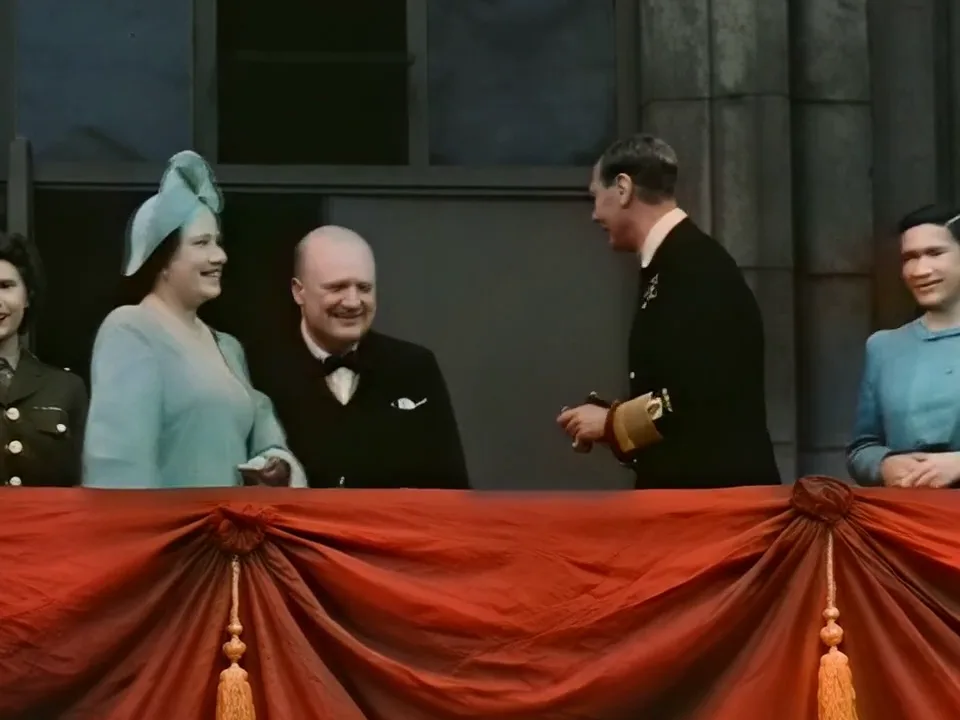
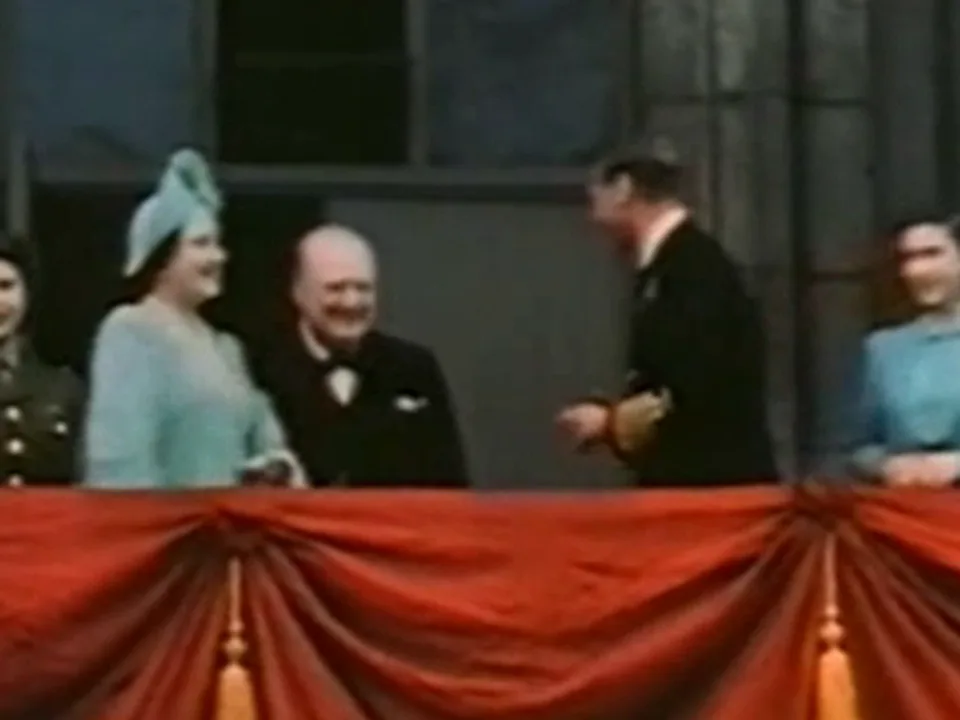
- In a 1945 colour film, Churchill and the royal family on the palace balcony came back with faces you can recognise.
- Camcorder texture
- In a 1990 Hi8 pan, ground, tracks and machines got their texture back, and it stays in place from frame to frame instead of shimmering.
- Date stamps and captions
- The camcorder date in the corner stays readable and keeps the right digits.
Tested 14 Nov 2026 on eight public old videos (a 1945 colour film, VHS from 1994 and 1999, Hi8 from 1990, and phone videos from 2010 to 2012), each compared with a normal resize and with our standard AI upscaler. The detail is rebuilt by AI from what the old video shows, so it is a sharper version of the scene, not a hidden original.
Watch them move, with the original sound: a 2001 graduation filmed on a family camcorder, 12 seconds (original, 480p, 5.1 MB · restored, 1080p, 13.7 MB), a 1990 Hi8 camcorder pan, 10 seconds (original, 480p, 1.1 MB · restored, 1080p, 14.4 MB), and the 1945 film, 6 seconds without sound (original, 480p, 0.5 MB · restored, 1080p, 2.6 MB). The restored files are what the cloud made; the graduation clip was only recompressed to a smaller file. Sources: the graduation is from the Dyson Family Hi-8 Tapes on the Internet Archive, CC0; the Hi8 clip is from Braunkohlebergbau bei Lauchhammer 1990 by Maximilian Schönherr, CC BY-SA 4.0, via Wikimedia Commons, and its restored copy is shared under the same licence.
From tape to restored file
What to upload, and what comes back.
- Digitise the tape first
- A capture device or a transfer service turns VHS, Hi8 and MiniDV tapes into files. Upload them as MP4, MOV or WebM. Keep the tapes and the original files; restoration makes a new copy.
- PAL and NTSC
- 576p PAL and 480p NTSC captures both work, at their own frame rate. DVDs use the same sizes.
- 4:3 and widescreen
- The picture keeps its shape. 4:3 comes out at 1440 × 1080 and 16:9 at 1920 × 1080, also for DV files that store widescreen in a 720 × 576 frame.
- Interlaced captures
- Interlaced VHS and DV captures are deinterlaced before restoration, so moving edges come out clean.
- Sound
- The original sound is kept as it is. Tick Also remove background noise to clean it at no extra credits.
Old video restoration or the free upscaler?
Both upscale old videos to a bigger size. Pick by how sharp the video already is.
- Old video restoration
- For old, small and blurry video up to 576p. Rebuilds faces and detail. Runs in the cloud and always comes out at 1080p.
- Free upscaler
- For clips that are already fairly clear and just need to be bigger. Sharpens outlines and text, free in your browser, and takes any size up to 4K.
What it costs and how long it takes
Credits count the length of your video. You see the number before you start, and credits never expire.
- 2 creditsper second of video, at least 20 per video
- about 10 minof processing per minute of video
- 1080poutput, from up to 576p
- 30 minper file with any pack, and up to the pack's per-video limit (5 min with 300 credits, 10 min with 667)
A 300-credit pack ($5) restores 2.5 minutes of old video, a 10-minute tape uses 1,200 credits and a 30-minute one 3,600. We email you when a video is done, so you can close the tab while it runs. Interlaced VHS and DV captures are deinterlaced for you, and the sound is kept as it is.
Other ways to improve a video
- Upscale video to 1080p without uploading itFree in your browser. Turns 720p or 480p clips into 1080p with sharper outlines and text.
- Unblur video free: sharpen soft or out of focus clipsFor clips that are slightly out of focus, free in your browser, with tested before and after frames.
- Remove background noise from video, free in your browserTurn down wind, traffic or fan noise behind voices, free in your browser.
Restore by source
- VHS to HD: make your digitized tapes sharp at 1080pVHS tapes, with capture tips and a 1994 tape restored.
- Upscale old camcorder video from Hi8, MiniDV and Video8 tapesHi8, Video8, MiniDV and Digital8 camcorder tapes.
- Upscale DVD video to 1080p with AIHome movie DVDs and DVD rips at 480p or 576p.
- Restore old film footage from 8mm, Super 8 and 16mm scans8mm, Super 8 and 16mm film copies.
- Make old phone videos HD againVideos from early camera phones.
- Wedding video enhancer: improve an old or blurry wedding videoWedding videos on tape, DVD or an older camera.
Questions about restoring old video
Can AI restore old videos?
Yes. A video AI model rebuilds faces, hair, clothes and objects from the blurred picture and keeps them steady from frame to frame. In our test on a 1945 colour film, Churchill and the royal family came back sharp and recognisable at 1080p.
How do I restore old home videos?
To restore old home videos, first get them onto your computer or phone as files (MP4, MOV or WebM; tapes need a capture device or a transfer service first). Drop a file on this page, check the credits and time, and start it in the cloud. We email you when it is ready to download.
Which videos work best?
VHS, Hi8 and DV camcorder tapes, DVDs and early phone videos, up to 576p. To enhance old video that is already 720p or sharper, use the free upscaler, which is made for it.
Can I enhance DVD video?
Yes. A DVD is 480p (NTSC) or 576p (PAL), the size old video restoration is made for. Save the DVD as an MP4, MOV or WebM file, drop it here, and it comes back at 1080p; interlaced DVD footage is deinterlaced for you.
Will faces still look like the same people?
The model rebuilds faces from what the video shows. Faces that fill a good part of the frame come back close to life, as with Churchill in our 1945 test. Very small faces far in the background are drawn from a handful of pixels, so look at the restored video before you share it.
How much does it cost and how long does it take?
2 credits per second of video, at least 20 per video, so a one minute clip uses 120 credits. Processing takes about 10 minutes per minute of video in our tests, and we email you when it is done. Credit packs start at $5 for 300 credits.
Does it keep the colours and the sound?
Yes. The colours are matched to your video and the sound is kept as it is. You can also tick Also remove background noise to clean up the sound at no extra credits.
What happens to my video?
It is uploaded to our storage and restored on our GPUs, and the upload is deleted as soon as it is done. The result stays downloadable for 7 to 30 days, depending on your credit pack. We never use your videos to train models.